
Water Quality walkthrough
Collect and Trace Samples
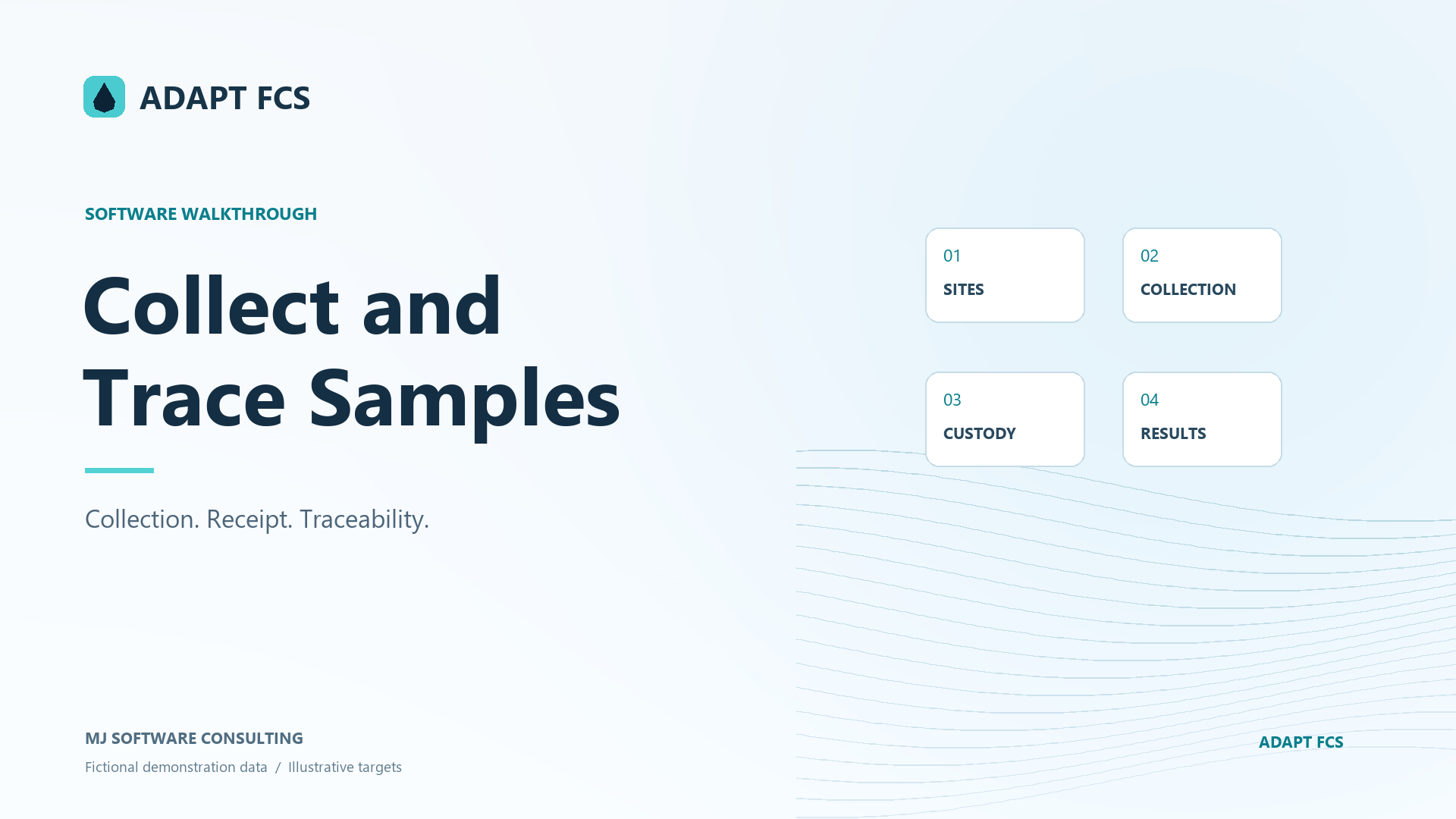
Trace a collected sample through its site, work order, laboratory receipt, field notes, custody reference, and related results.
Download PDF walkthroughFull narration and screenshots, with a link back to this video.
Find what matters to you
Explore the walkthrough
Choose a chapter to play from that point, or read the full narration below.
Read the walkthrough
Narration and screenshots
The complete narration is below. Search the script or use your browser’s Find command. Select any screenshot to view it at full size.
Introduction
Link to chapterFollow a collected sample from its site and work order through collection details, laboratory receipt, custody references, and related analytical results. This walkthrough shows the traceability tools already present in Adapt FCS, using fictional demonstration records.
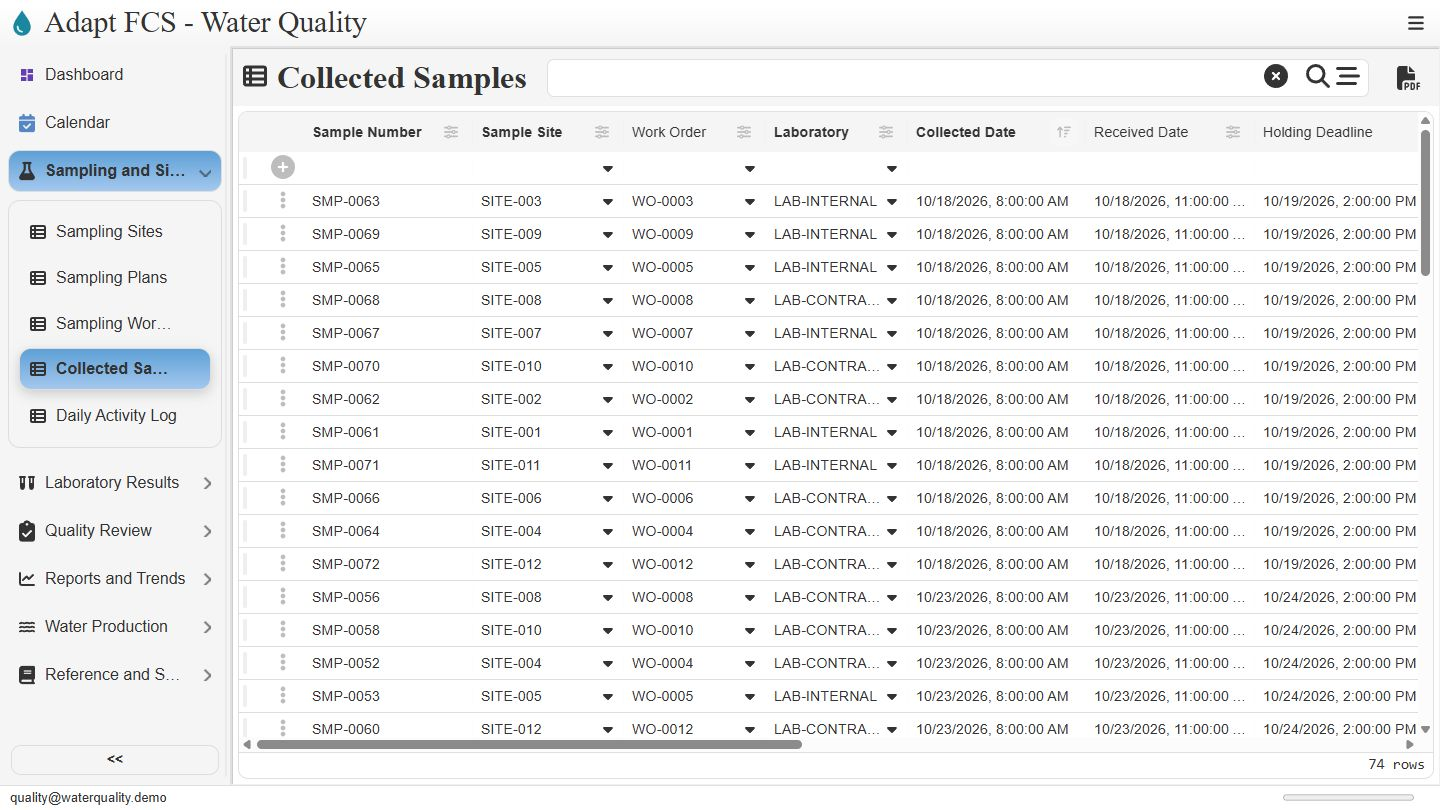
Open the collected sample register
Link to chapterOpen Sampling and Sites, then choose Collected Samples. The register brings sample identifiers together with sites, work orders, laboratories, and collection dates. Here we will inspect an existing fictional collection, sample zero zero six three. Open its record using the row selector to see the connected details.
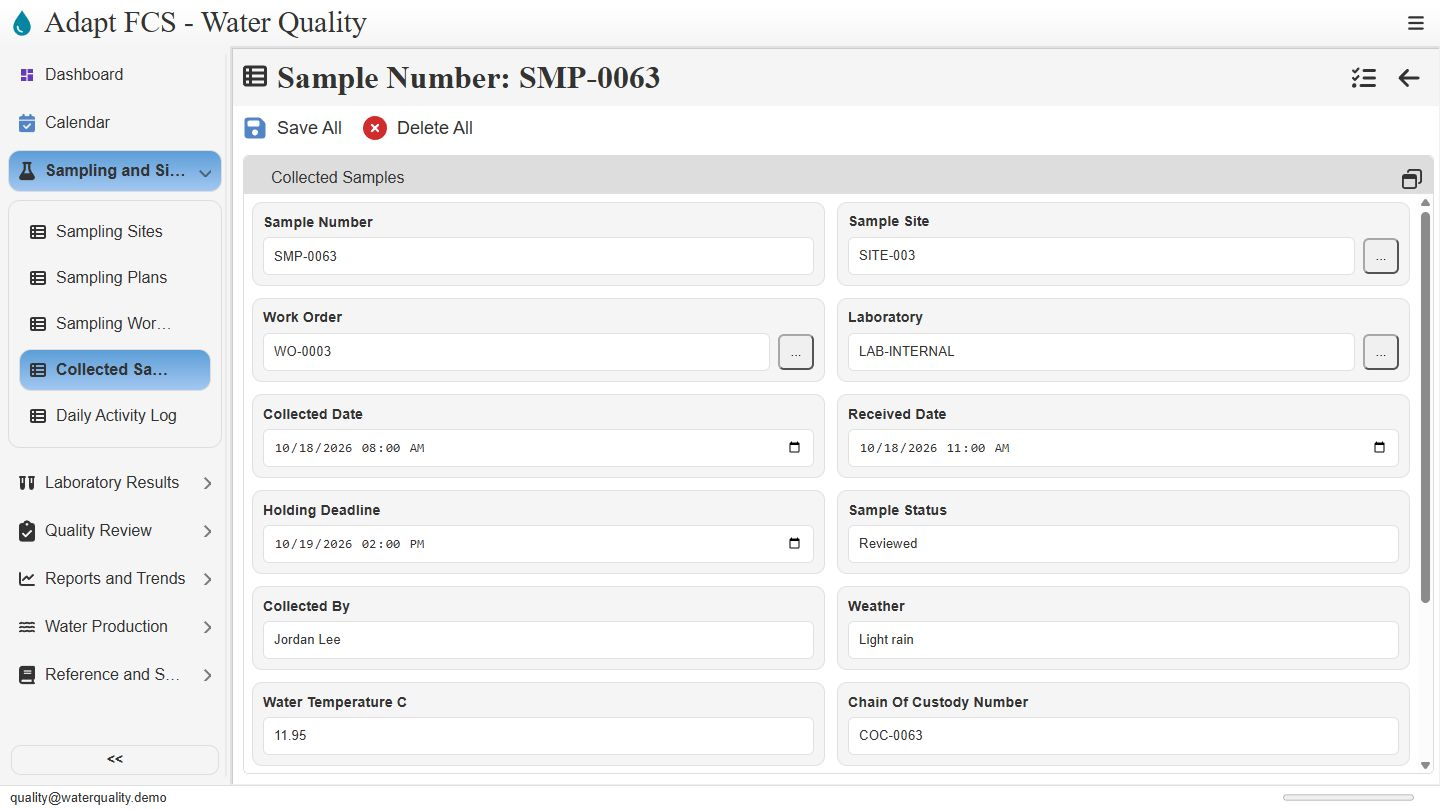
Connect collection to the planned work
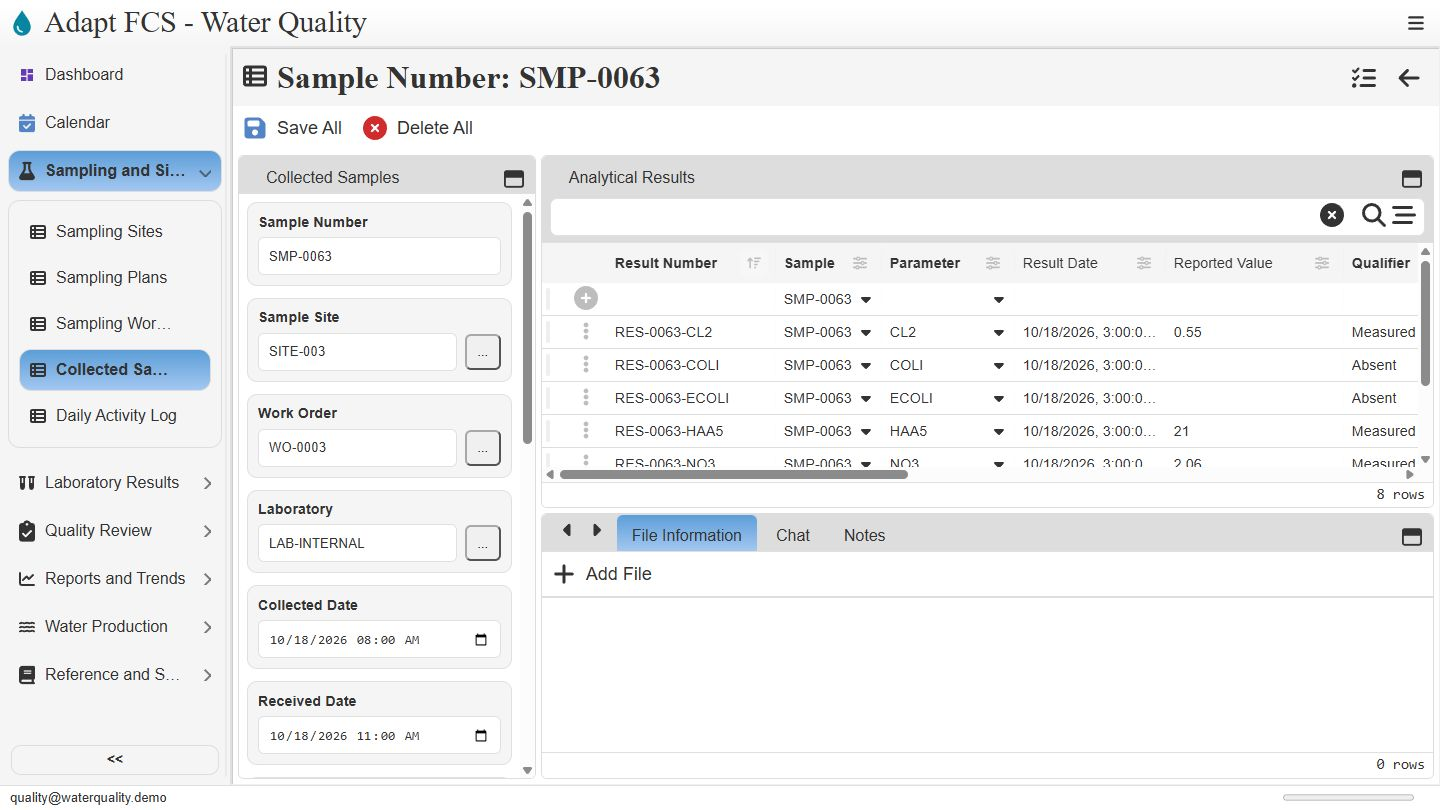
Link to chapterThe sample record links site zero zero three, work order zero zero zero three, and the internal laboratory. Keeping those references together lets staff trace a collection back to its location and planned task. The collector is recorded as Jordan Lee. These are maintained records, rather than an automatic field-device capture.
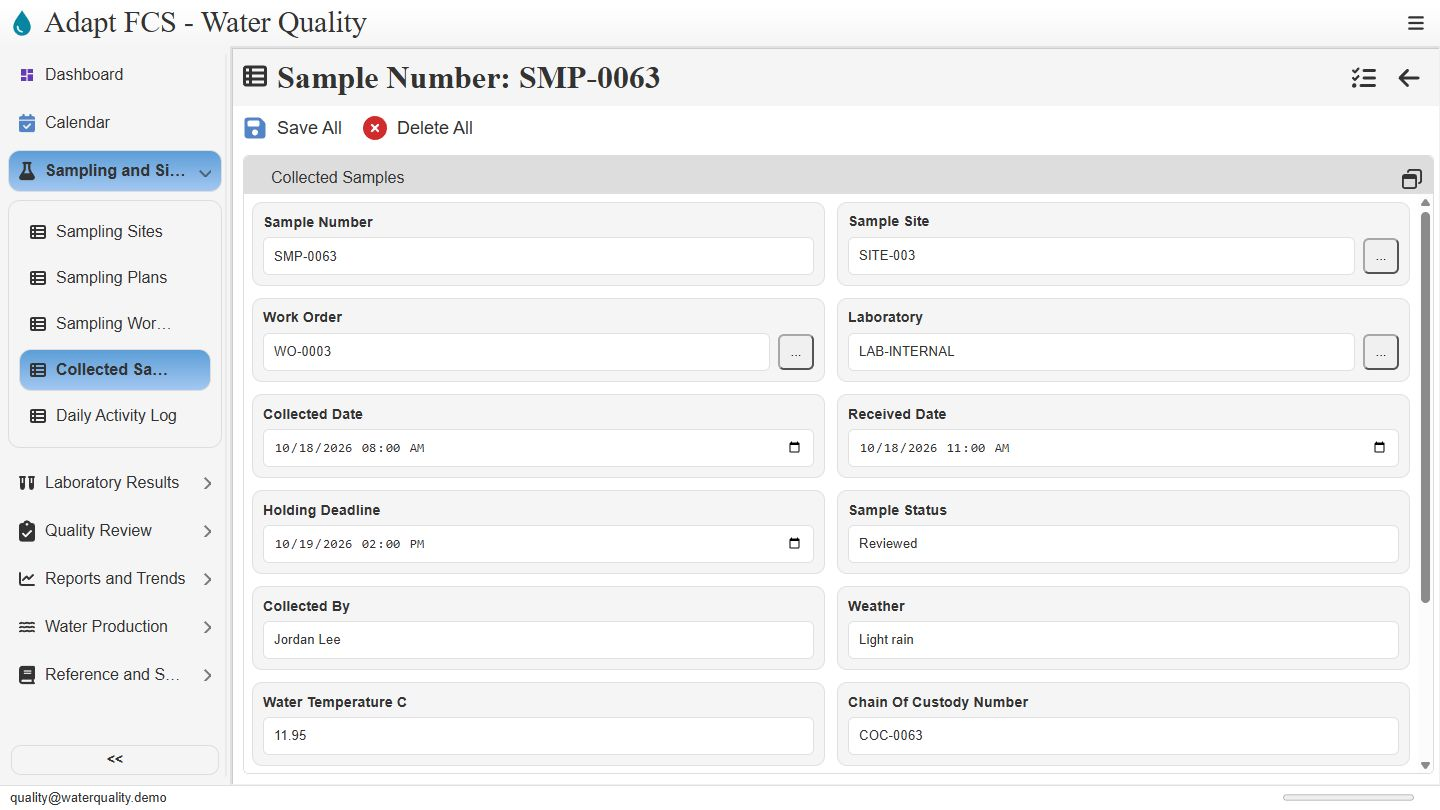
Review collection and receipt times
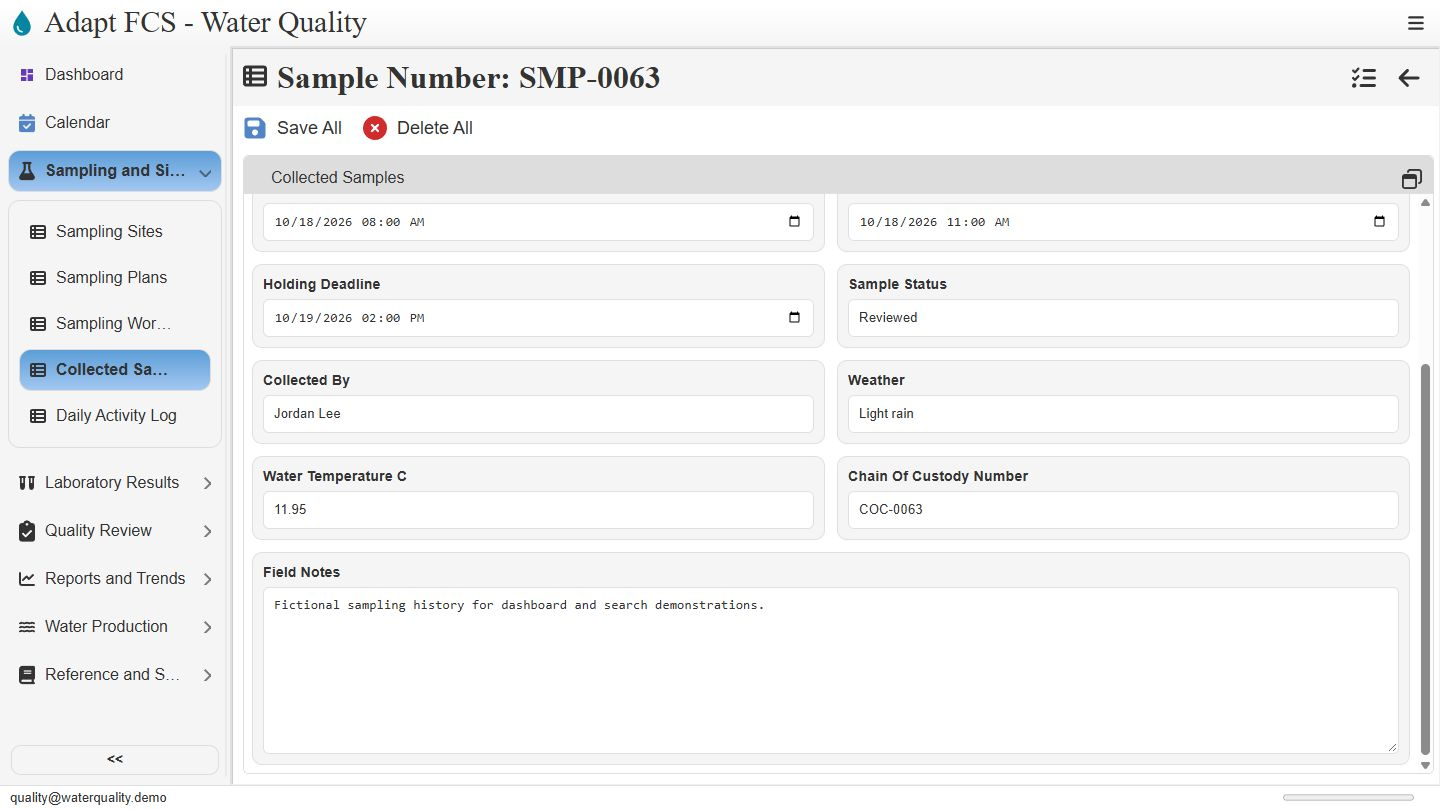
Link to chapterReview the collected date, received date, and holding deadline as separate pieces of information. This example was collected at eight in the morning, received at eleven, and has a recorded deadline the following day. The status is Reviewed. Staff must confirm these entries and the applicable handling requirements; a saved date alone does not certify a valid sample.
Preserve field context and custody references
Link to chapterScroll down to the field context. Weather, water temperature, a chain of custody reference, and field notes provide supporting information about the collection. The custody number is a reference field in this demonstration. We are not showing an electronic signature process, a signed custody transfer, or offline synchronization.
Inspect results related to the sample
Link to chapterRestore the standard record layout to see Analytical Results beside the sample. Eight recorded results belong to this collection, including chlorine, bacteria examples, and other parameters. Staff can inspect the related rows without losing the parent sample context. The empty file area simply means no attachment has been added to this example.
Follow the link into a result
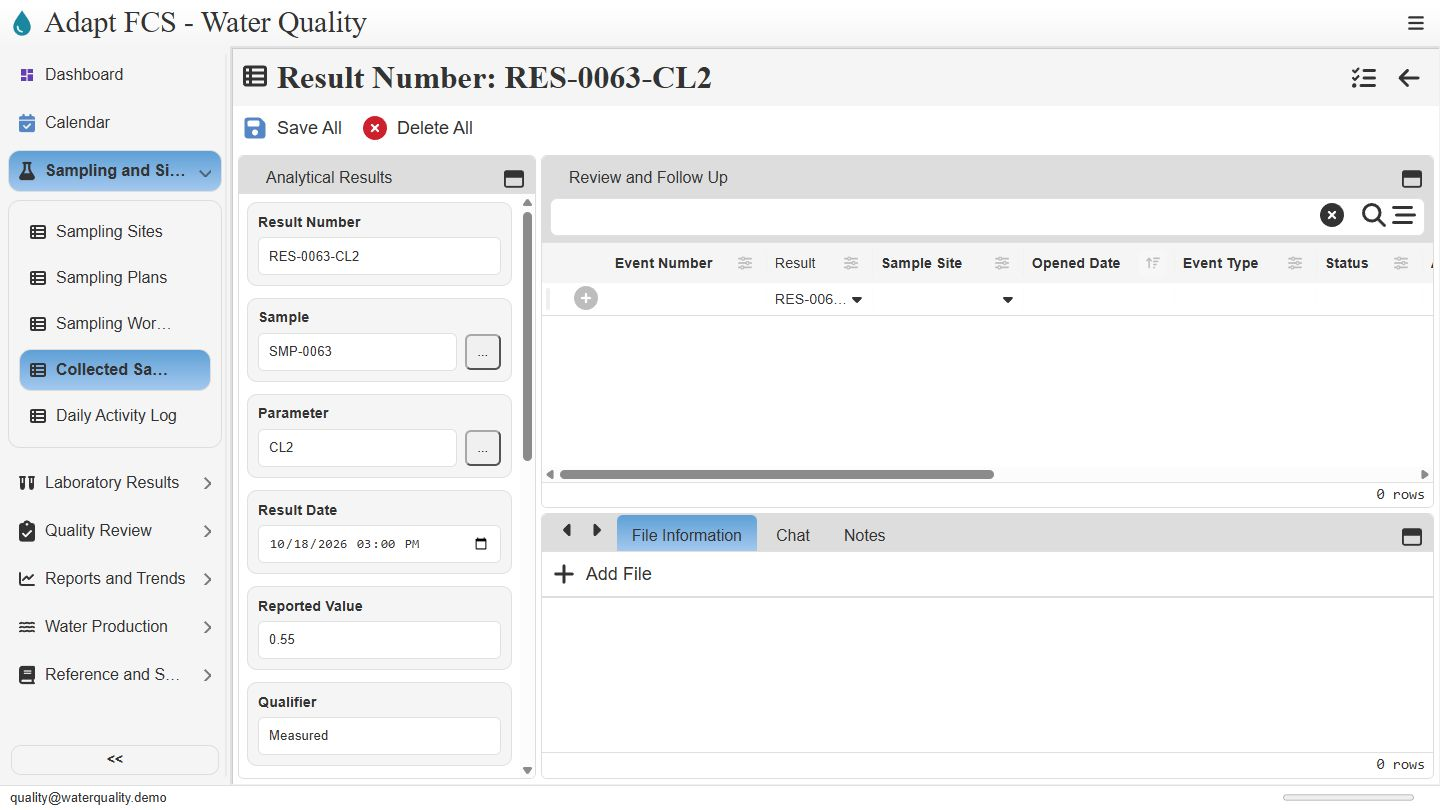
Link to chapterOpen the chlorine result from its row selector. The result record retains the reference to sample zero zero six three, along with its parameter, result date, measured value, and qualifier. This connection carries collection history into laboratory review. The next walkthrough examines those result fields and review states in more detail.
Closing
Link to chapterInstrumental closing; no narration.
No matching chapters. Try another word or clear the search to read the full script.
About this demonstration
The video uses fictional data and illustrative operating targets. It does not determine regulatory compliance or demonstrate agency submissions, live laboratory/GIS/SCADA connections, offline synchronization, or automatic sampling work generation. Staff and contractor sign-in configurations are examples; organization sign-in requires customer-specific setup and verification.
Video access is public. The interactive application has its own sign-in and permission controls. Version 1 · November 2026.