
Water Quality walkthrough
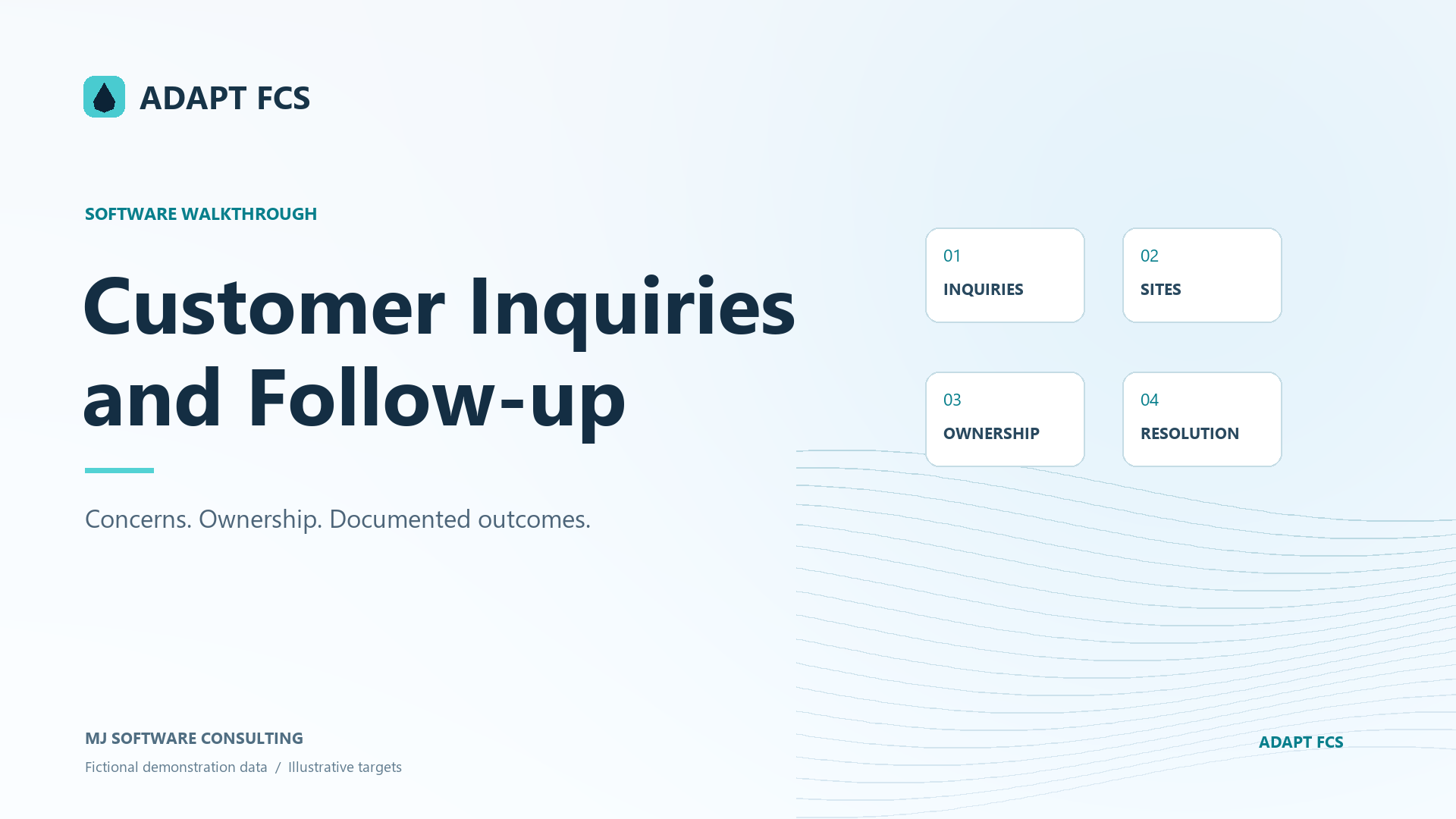
Customer Inquiries and Follow-up
Compare open and resolved customer inquiries, site references, staff assignments, summaries, resolution notes, and completion dates.
Download PDF walkthroughFull narration and screenshots, with a link back to this video.
Find what matters to you
Explore the walkthrough
Choose a chapter to play from that point, or read the full narration below.
Read the walkthrough
Narration and screenshots
The complete narration is below. Search the script or use your browser’s Find command. Select any screenshot to view it at full size.
Introduction
Link to chapterSee how the existing customer inquiry records organize water-quality concerns, location references, staff ownership, and documented outcomes. We will compare an open inquiry with a separate resolved example, using fictional demonstration records and leaving both unchanged.
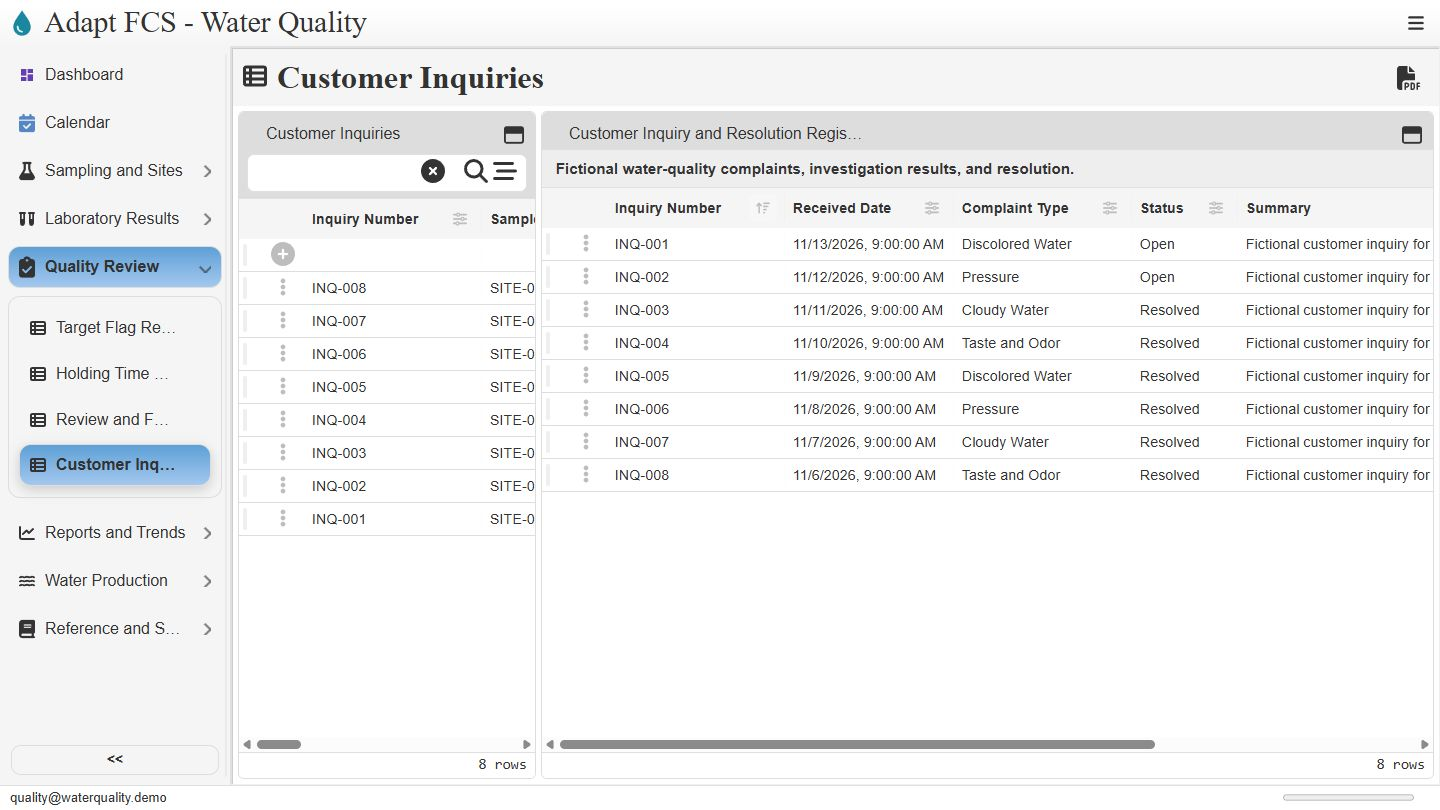
Open the inquiry and resolution register
Link to chapterOpen Quality Review, then choose Customer Inquiries. The view lists the recorded water-quality concerns and their current states. This demonstration includes discolored water, pressure, cloudy water, and taste-and-odor examples. The register lets staff compare open items with those already recorded as resolved.
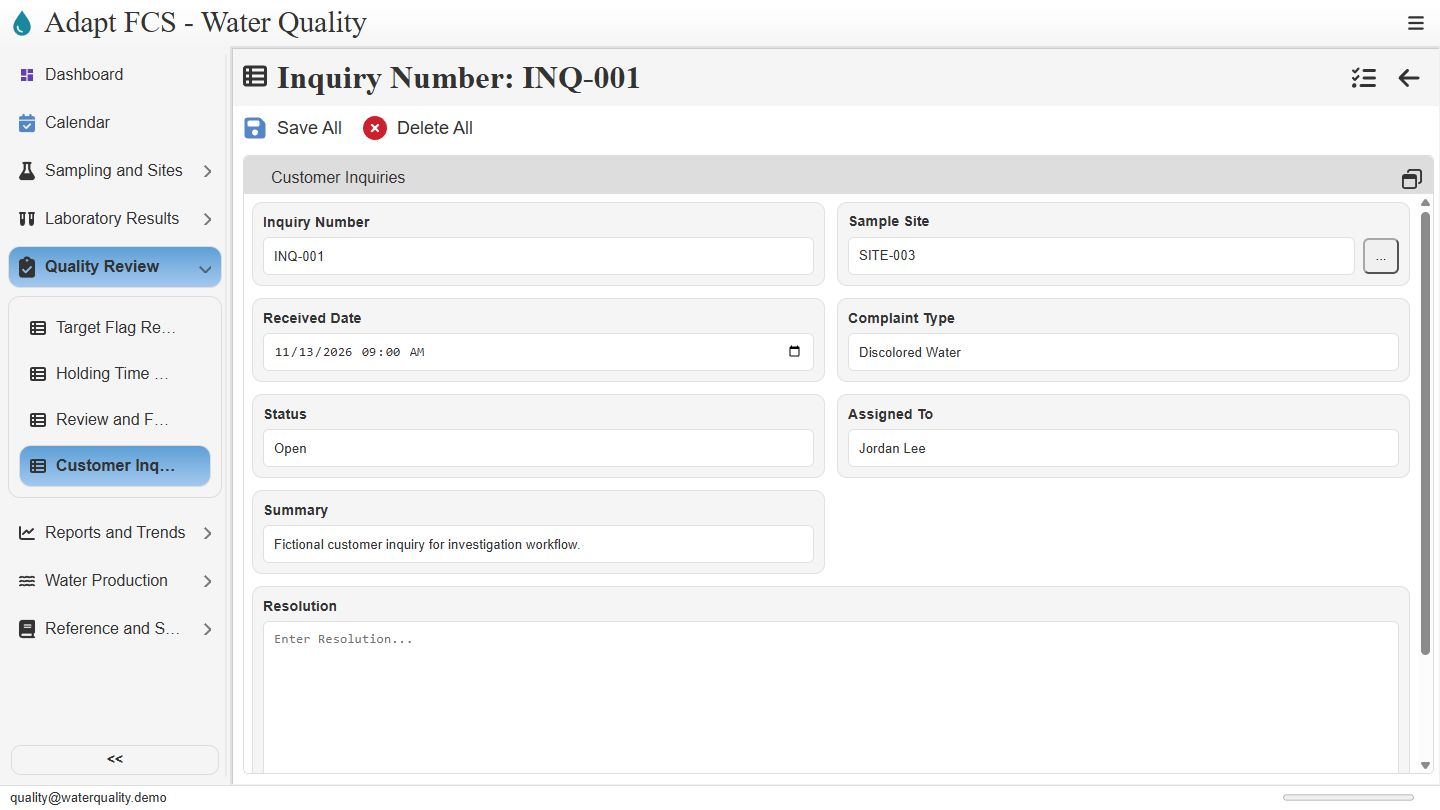
Inspect the open inquiry and its owner
Link to chapterOpen inquiry zero zero one using its row selector. The record identifies the site, received date, complaint type, Open status, and Jordan Lee as the assignee. Its site reference helps staff identify the sampling location and the records they should review. It does not automatically establish the cause of a customer concern.
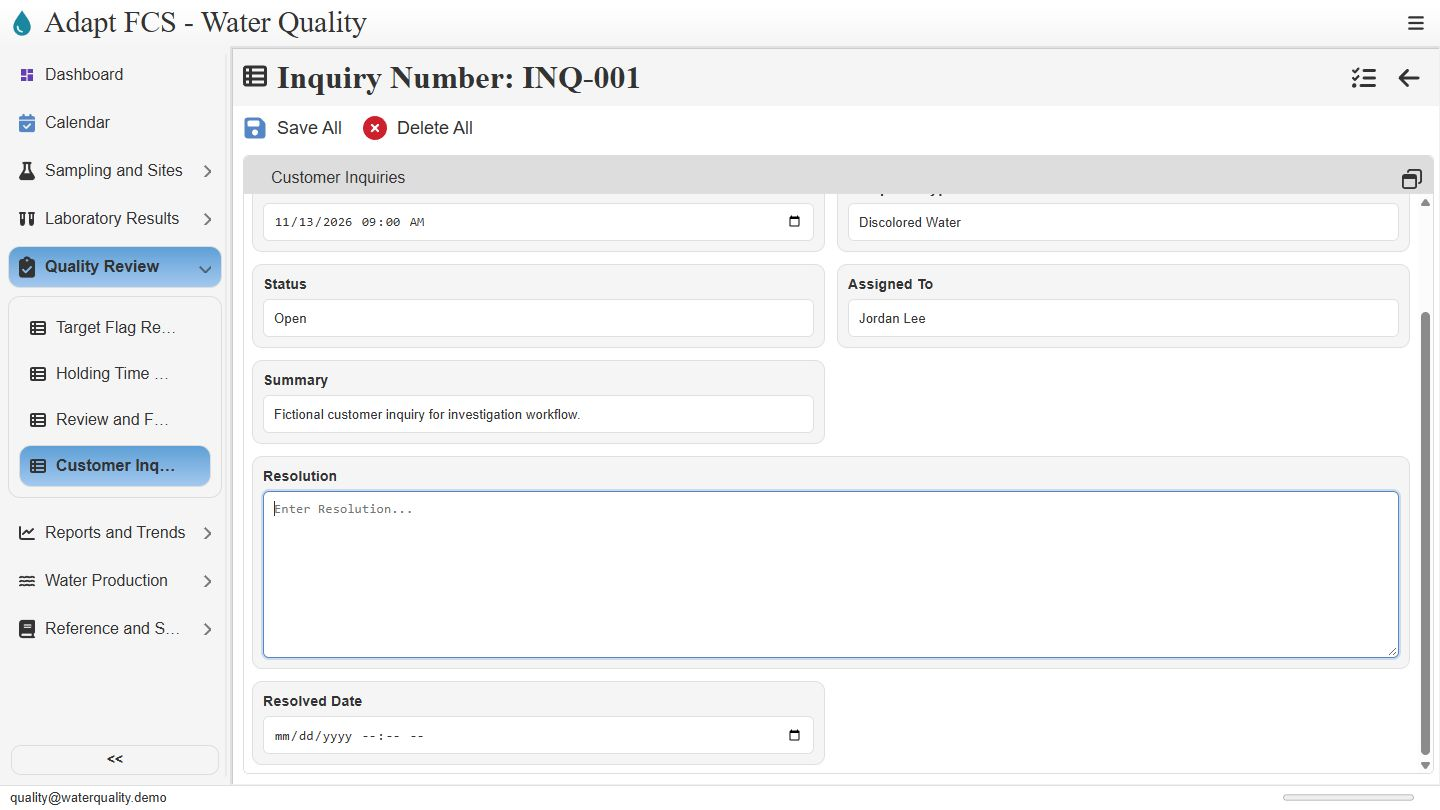
Keep the concern separate from the outcome
Link to chapterScroll to the summary and outcome fields. This example describes the concern but has no resolution text or resolved date yet. Keeping those fields separate makes incomplete follow-up visible. Staff would document their investigation and any supporting review before recording the eventual outcome. We leave this open inquiry unchanged.
Compare a previously resolved example
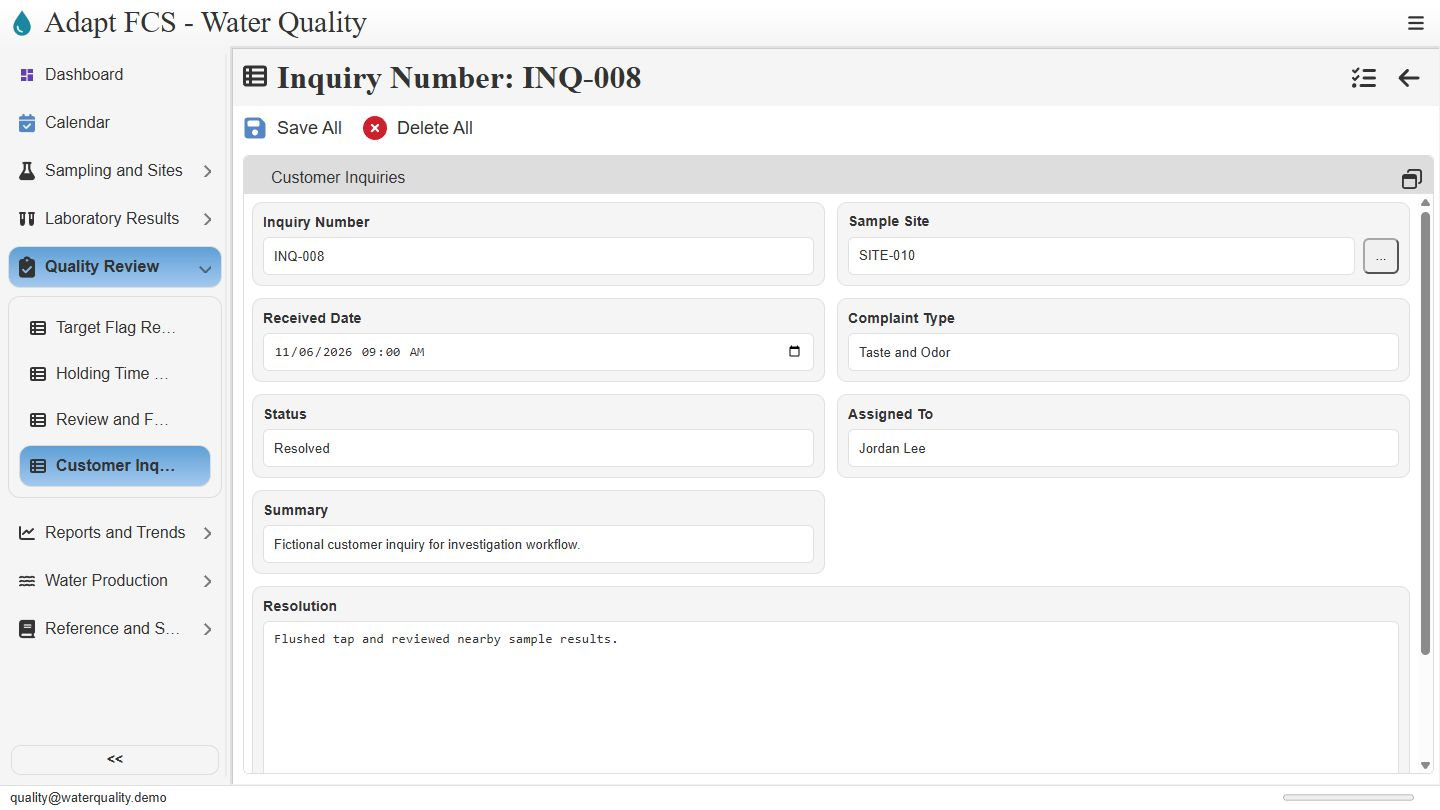
Link to chapterNow compare a different, previously resolved example. Inquiry zero zero eight refers to a taste-and-odor concern at site zero one zero. It is assigned to Jordan Lee and marked Resolved. This is a separate seeded record, not a status change made to the earlier inquiry during the video.
Review the recorded response and date
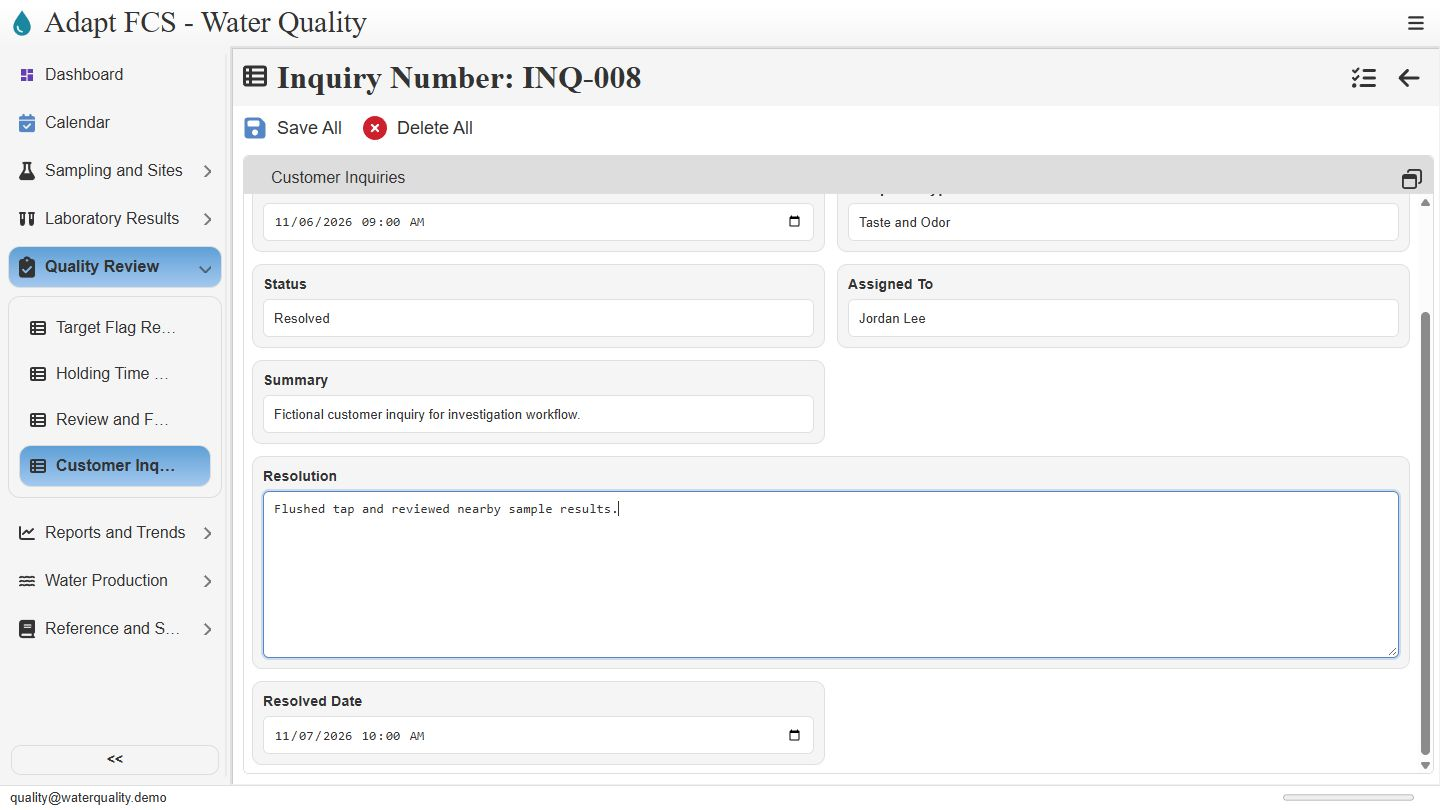
Link to chapterThe resolution text says the tap was flushed and nearby sample results reviewed, with a resolved date recorded below. These fields preserve the account of the follow-up. They are maintained records, not an automatic technical diagnosis or proof of a customer notification. Associated sampling evidence still needs qualified review for the particular concern.
Closing
Link to chapterInstrumental closing; no narration.
No matching chapters. Try another word or clear the search to read the full script.
About this demonstration
The video uses fictional data and illustrative operating targets. It does not determine regulatory compliance or demonstrate agency submissions, live laboratory/GIS/SCADA connections, offline synchronization, or automatic sampling work generation. Staff and contractor sign-in configurations are examples; organization sign-in requires customer-specific setup and verification.
Video access is public. The interactive application has its own sign-in and permission controls. Version 1 · November 2026.