
Water Quality walkthrough
Investigate Quality Events
Follow target-review flags into assigned quality events, inspect required actions and resolution fields, and compare existing repeat-sampling work.
Download PDF walkthroughFull narration and screenshots, with a link back to this video.
Find what matters to you
Explore the walkthrough
Choose a chapter to play from that point, or read the full narration below.
Read the walkthrough
Narration and screenshots
The complete narration is below. Search the script or use your browser’s Find command. Select any screenshot to view it at full size.
Introduction
Link to chapterFollow a target-review flag into a recorded quality event. We will inspect the supporting result, assigned reviewer, due date, required action, and resolution field, then compare an existing repeat-sampling example and its collection history.
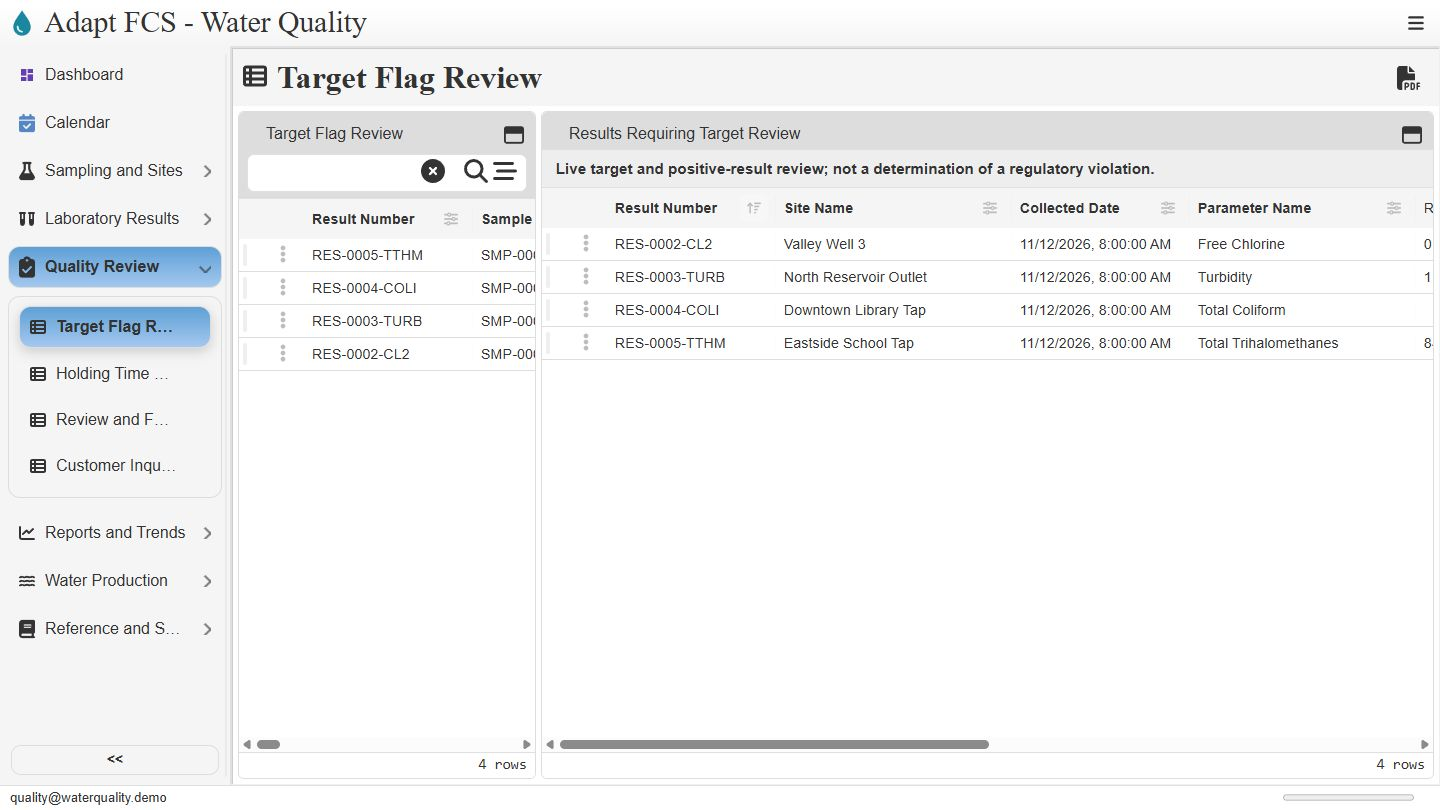
Start with the target review queue
Link to chapterOpen Quality Review, then Target Flag Review. The view brings together the four seeded target or positive-result examples. These flags identify records for qualified attention. The message on screen is explicit: this is a review aid, not a determination that a regulatory violation has occurred.
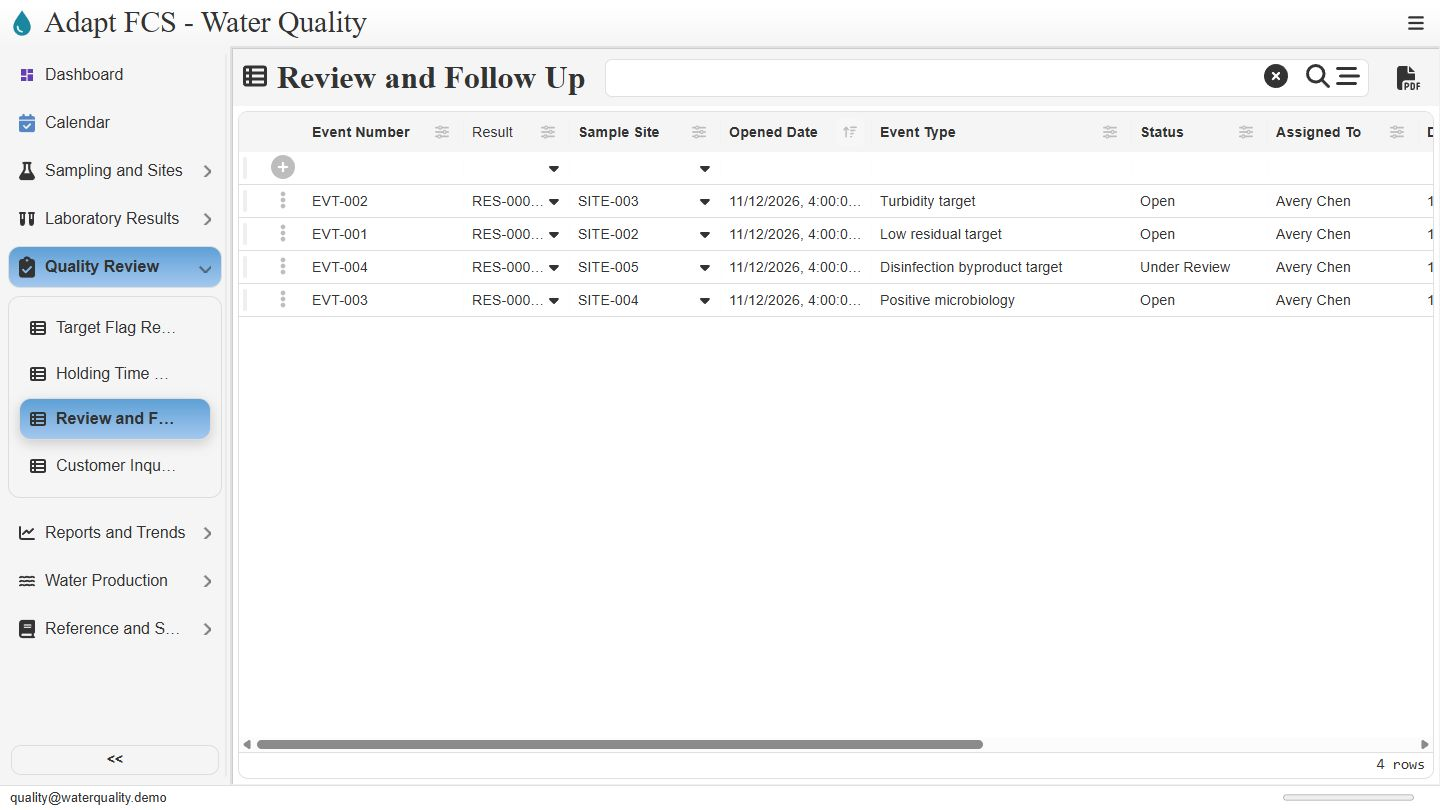
Use the event register to organize follow-up
Link to chapterChoose Review and Follow Up to see the investigation records. The register includes low residual, turbidity, disinfection byproduct, and positive microbiology examples. Staff can review the event type, status, assigned person, and due date. We will inspect event zero zero one for the low chlorine example.
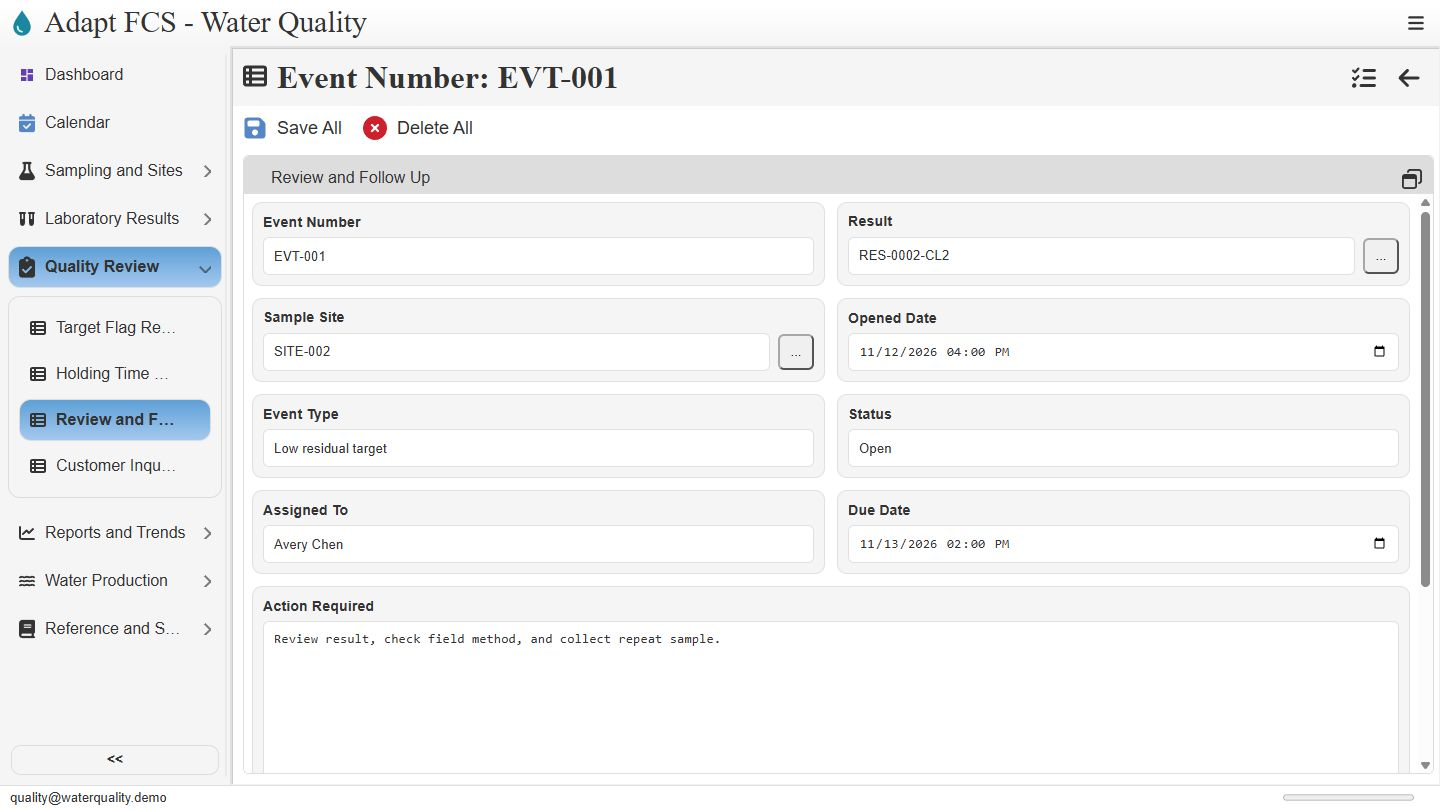
Keep the event connected to its evidence
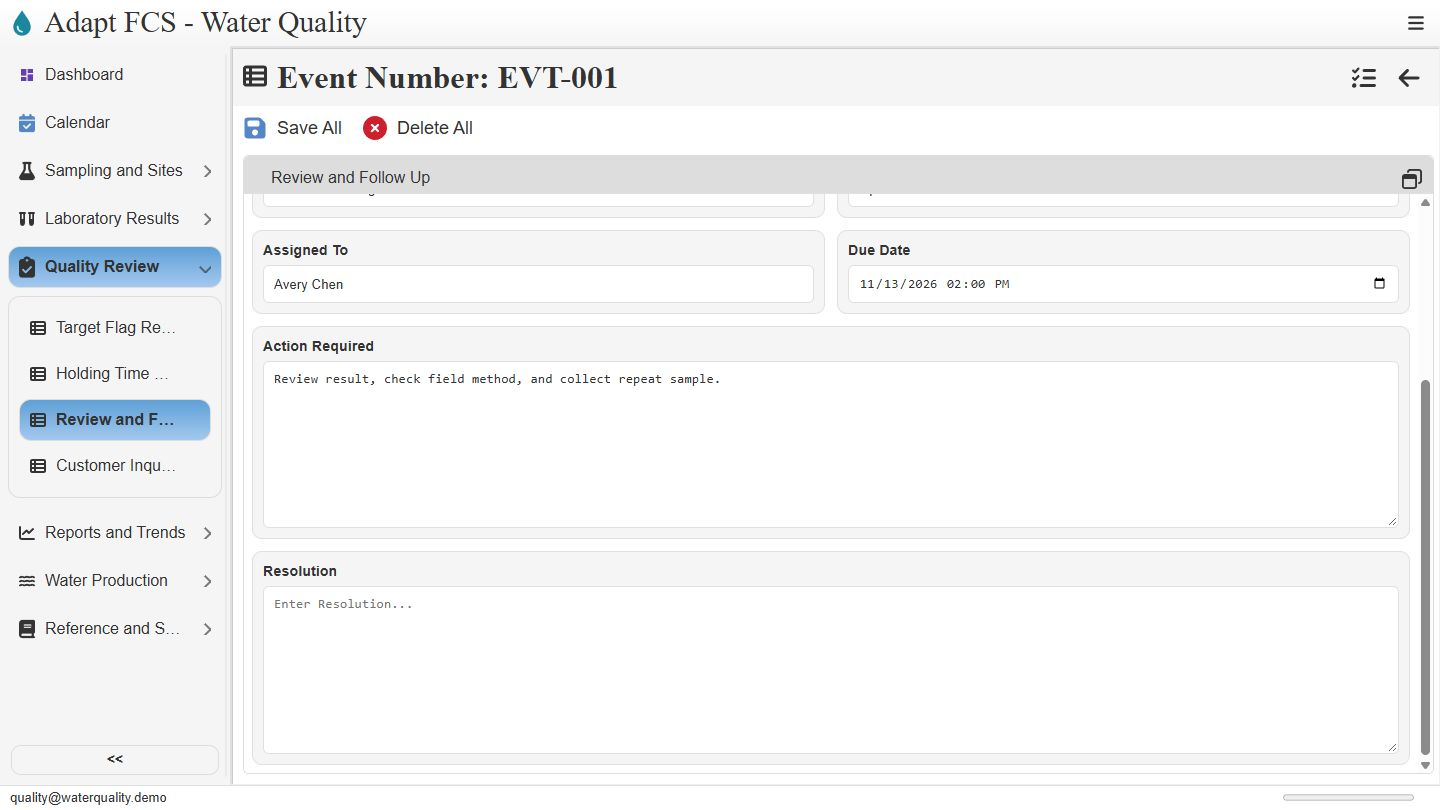
Link to chapterThe event links the chlorine result to site zero zero two. It is currently Open, assigned to Avery Chen, with a recorded due date. That connection helps reviewers return to the underlying analytical evidence and location. Assignment and status are maintained workflow fields, rather than proof that an investigation has been completed.
Read the required action and resolution separately
Link to chapterScroll down to Action Required and Resolution. This event asks staff to review the result, check the field method, and collect a repeat sample. The resolution field is blank. Keeping the requested action separate from the eventual outcome lets staff see what remains to be documented. We leave this open example unchanged.
Compare an existing repeat-sampling work order
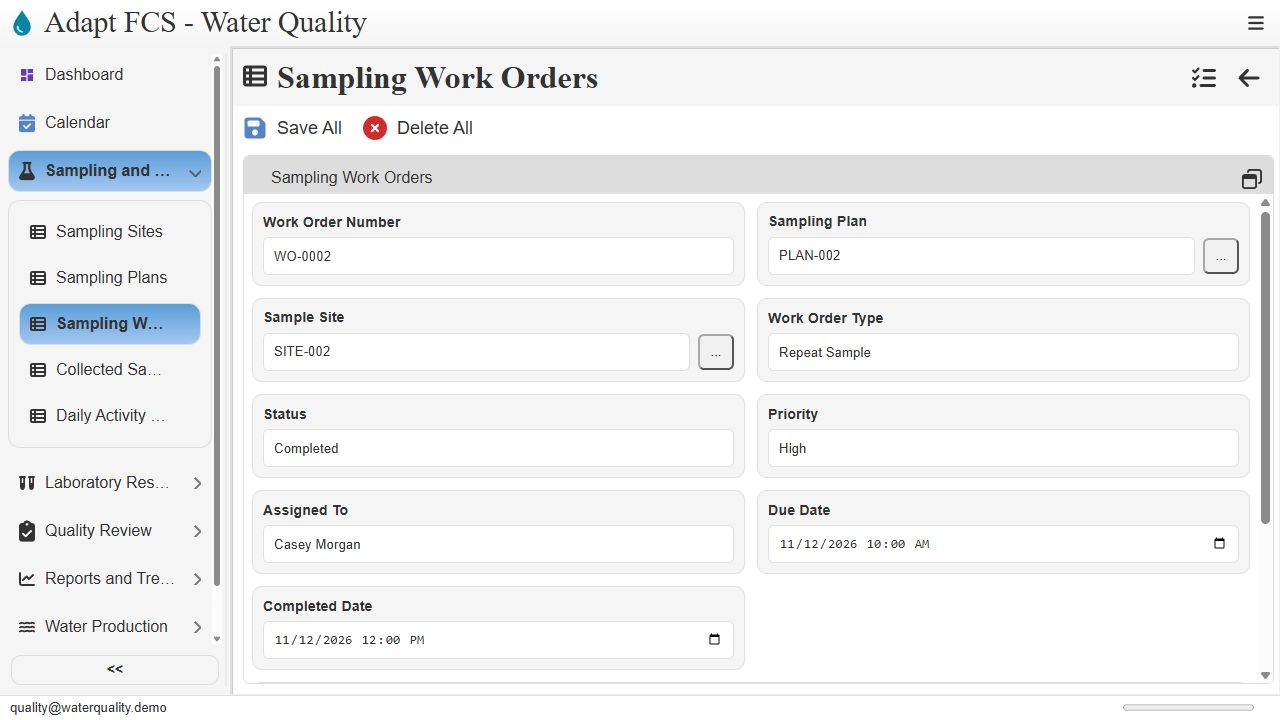
Link to chapterHere is a separate seeded repeat-sampling example for the same site. Work order zero zero zero two records a repeat sample, high priority, Casey Morgan as assignee, and Completed status. The demonstration dates are illustrative. This is not an order generated automatically from the event during this walkthrough.
Inspect collection history before resolving the event
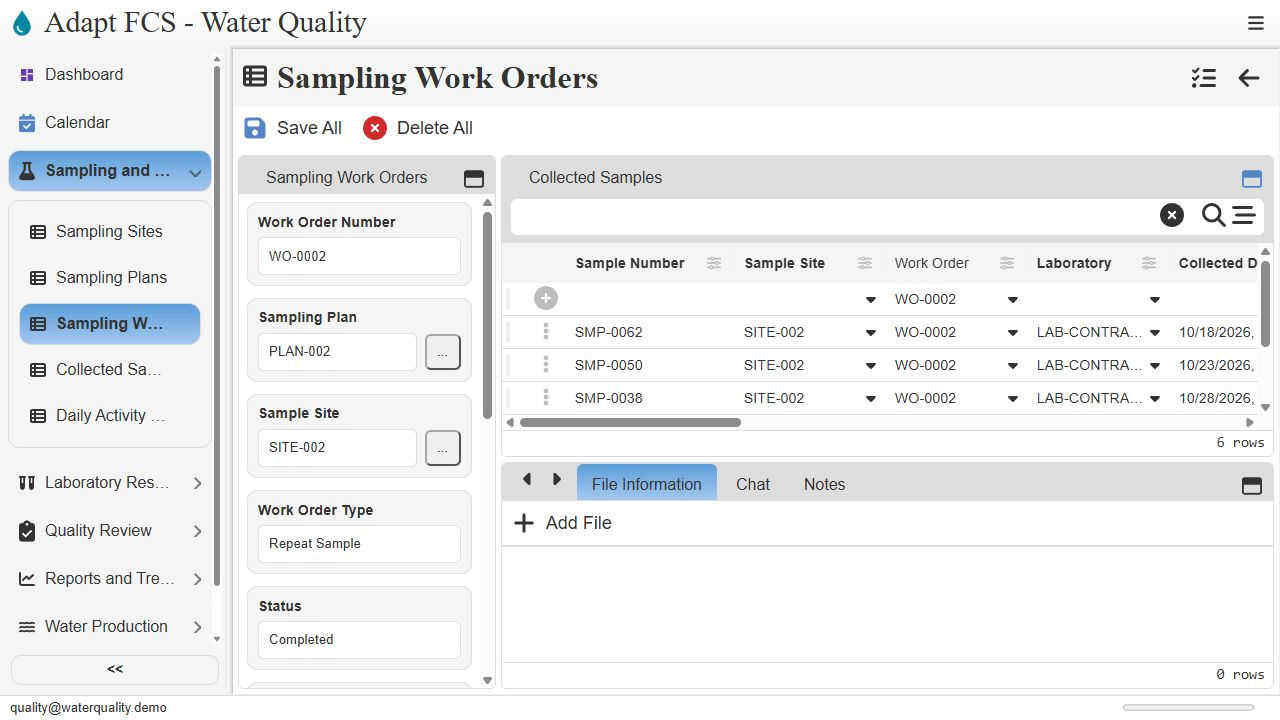
Link to chapterThe work order layout lists its related collected samples. Staff can inspect those collections and their results when documenting an investigation. Completing a collection task does not automatically resolve the separate event in this demonstration. A qualified reviewer must assess the evidence, document the outcome, and determine any applicable reporting obligations.
Closing
Link to chapterInstrumental closing; no narration.
No matching chapters. Try another word or clear the search to read the full script.
About this demonstration
The video uses fictional data and illustrative operating targets. It does not determine regulatory compliance or demonstrate agency submissions, live laboratory/GIS/SCADA connections, offline synchronization, or automatic sampling work generation. Staff and contractor sign-in configurations are examples; organization sign-in requires customer-specific setup and verification.
Video access is public. The interactive application has its own sign-in and permission controls. Version 1 · November 2026.