
Water Quality walkthrough
Review Laboratory Results
Inspect measured and nondetect results, units, detection limits, review status, laboratory references, and related follow-up events.
Download PDF walkthroughFull narration and screenshots, with a link back to this video.
Find what matters to you
Explore the walkthrough
Choose a chapter to play from that point, or read the full narration below.
Read the walkthrough
Narration and screenshots
The complete narration is below. Search the script or use your browser’s Find command. Select any screenshot to view it at full size.
Introduction
Link to chapterReview recorded laboratory results with their sample links, measurement units, qualifiers, detection limits, and review states. We will compare a measured chlorine result with a nondetect example, then show how a result connects to follow-up work.
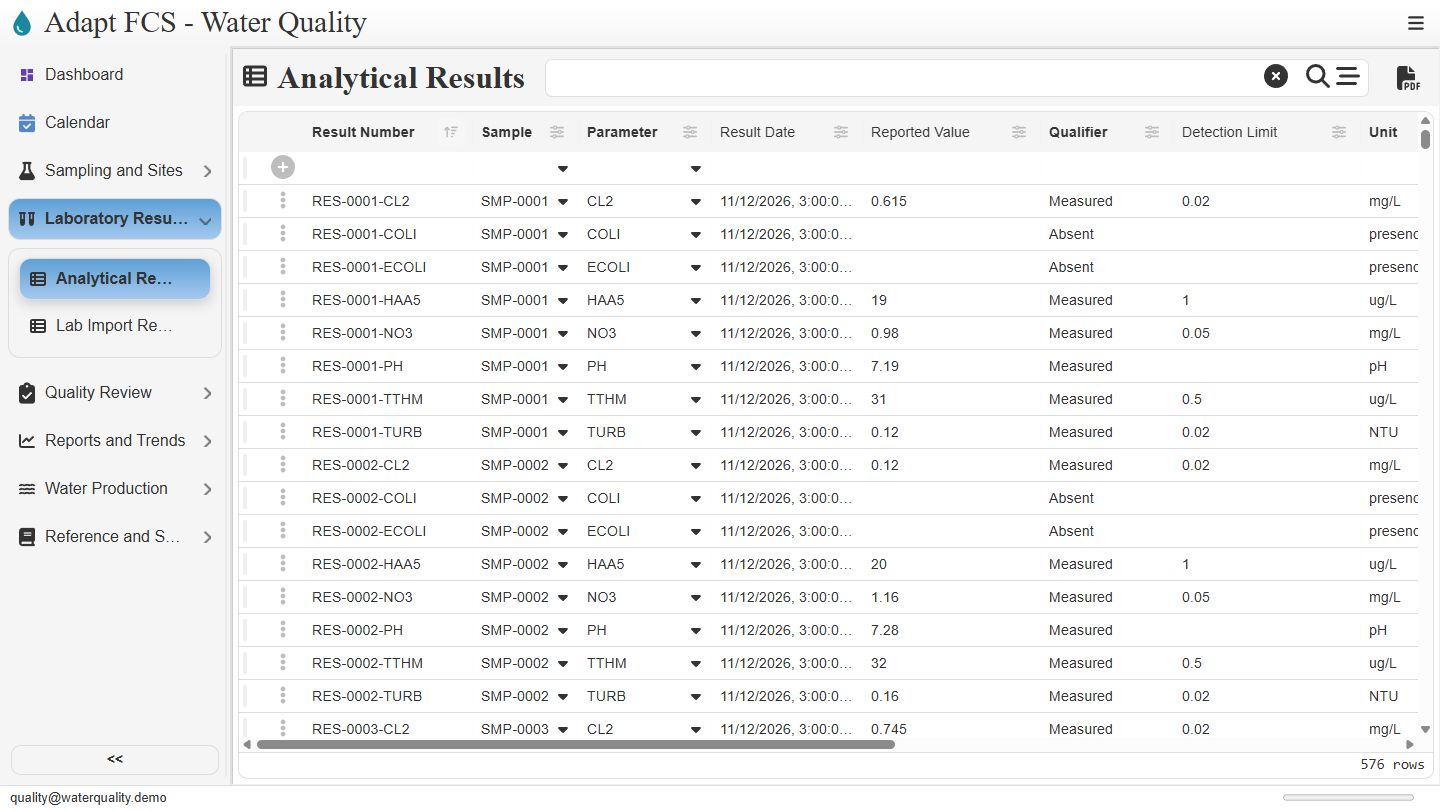
Open Analytical Results
Link to chapterOpen Laboratory Results, then choose Analytical Results. The register lists each recorded result with its sample, parameter, result date, value, qualifier, and detection limit. Numeric measurements and presence or absence results appear together while retaining their different meanings.
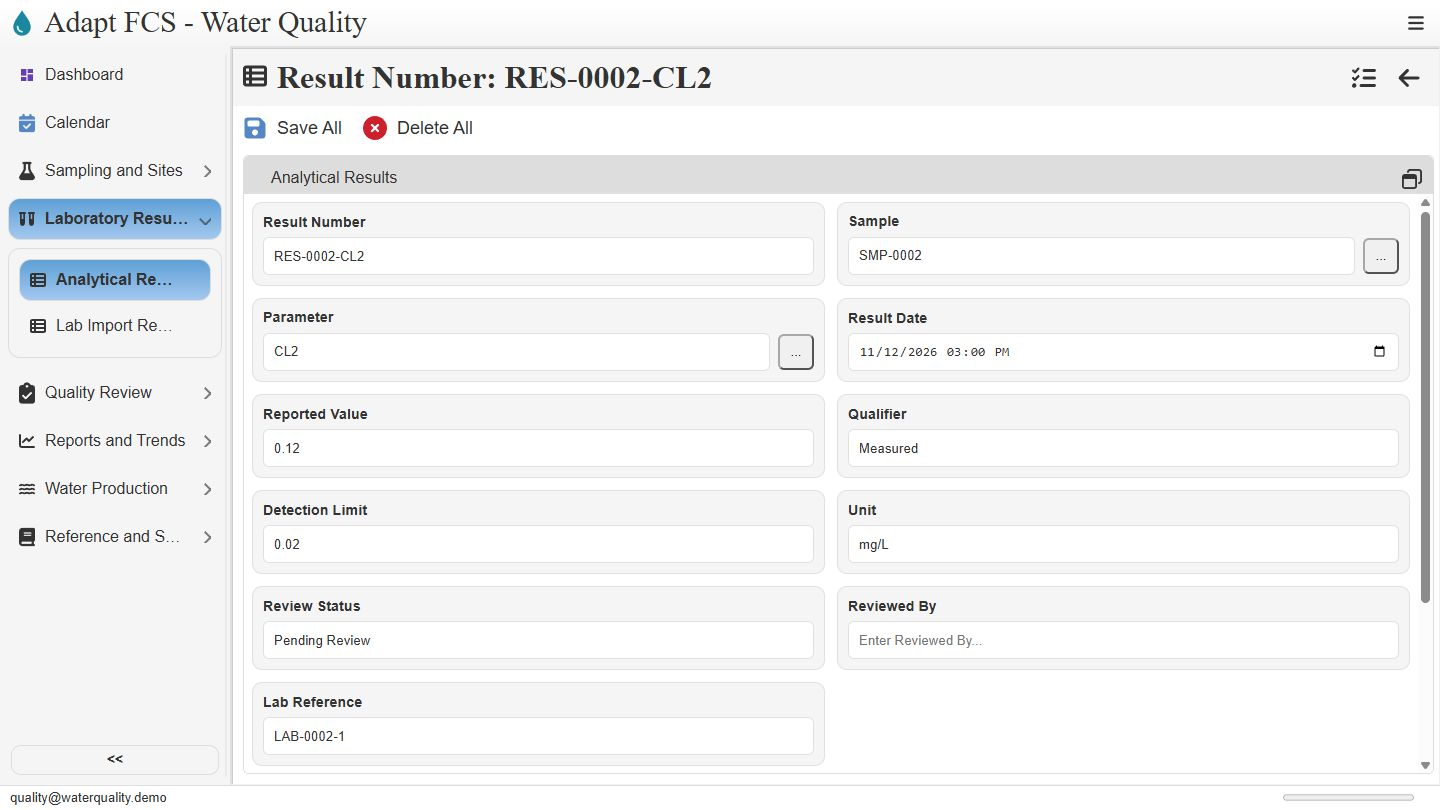
Inspect a measured chlorine result
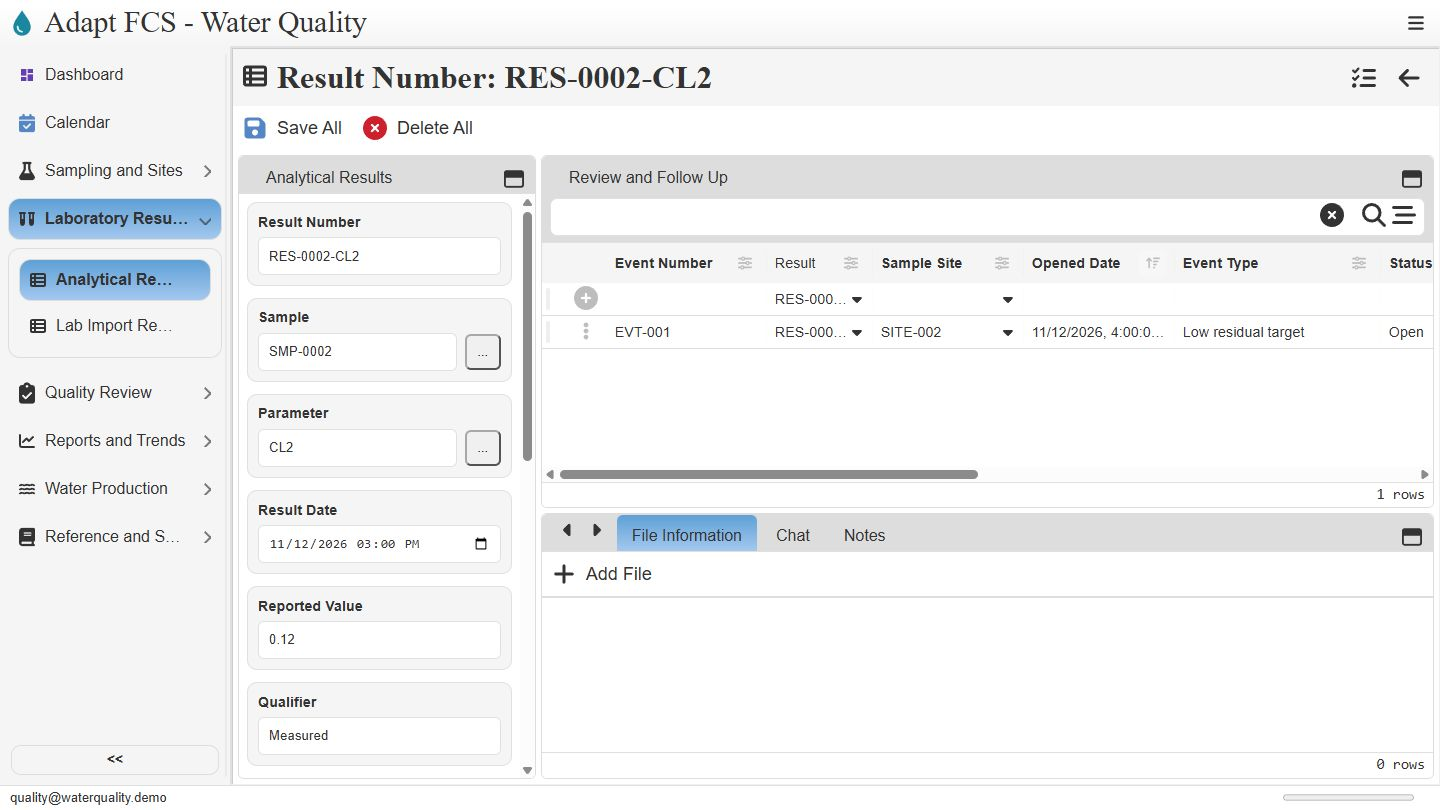
Link to chapterOpen the row selector for result zero zero zero two, chlorine. The record identifies its parent sample and parameter. It shows a measured value of zero point one two milligrams per liter and a separate detection limit of zero point zero two. Always read the value together with its unit and qualifier.
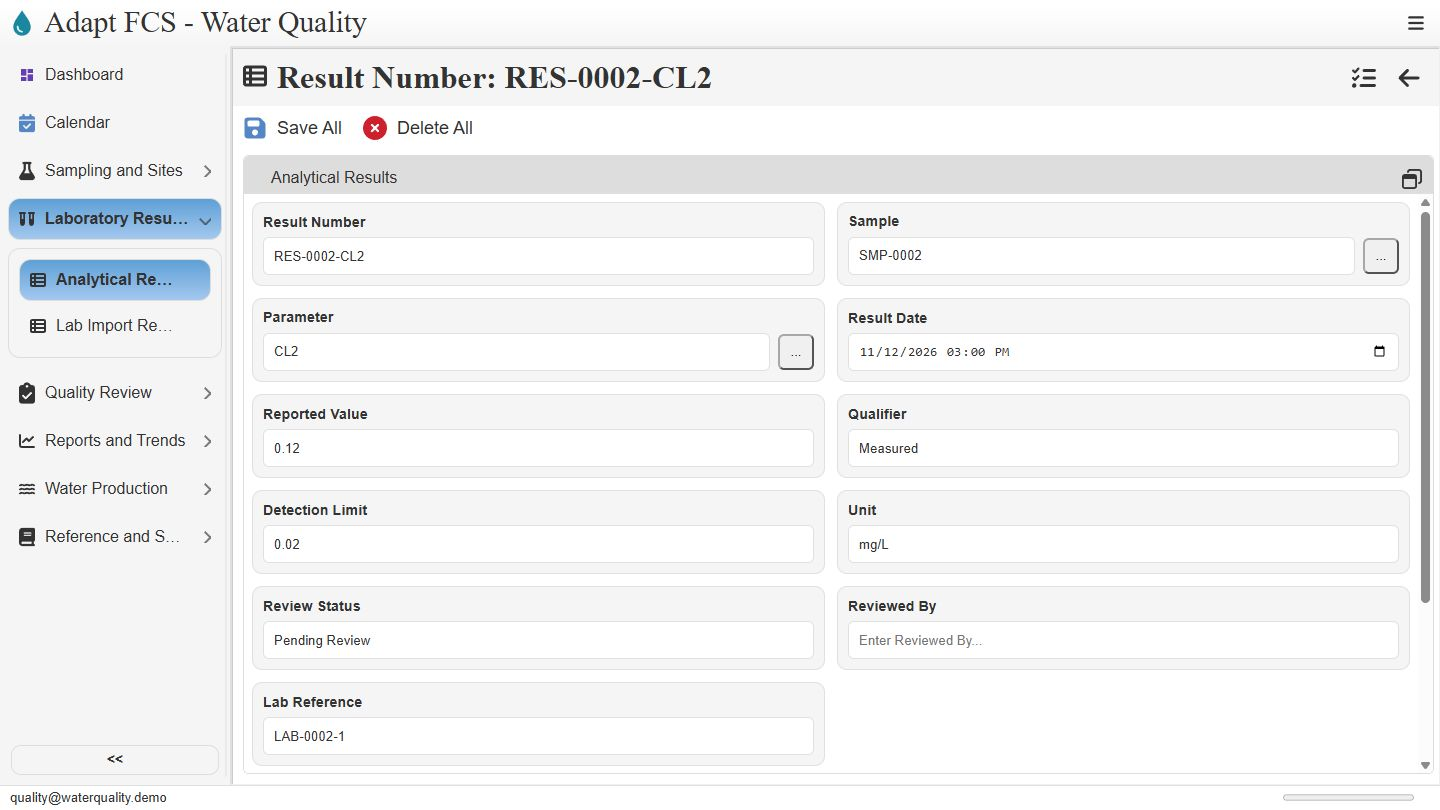
Keep review state and laboratory reference visible
Link to chapterThe review status is Pending Review, and Reviewed By is blank in this example. The laboratory reference connects the entry to its recorded source reference. Staff maintain these review fields. We are inspecting existing records, rather than demonstrating a validated approval signature, an automatic lab import, or a regulatory compliance decision.
Filter the register by qualifier
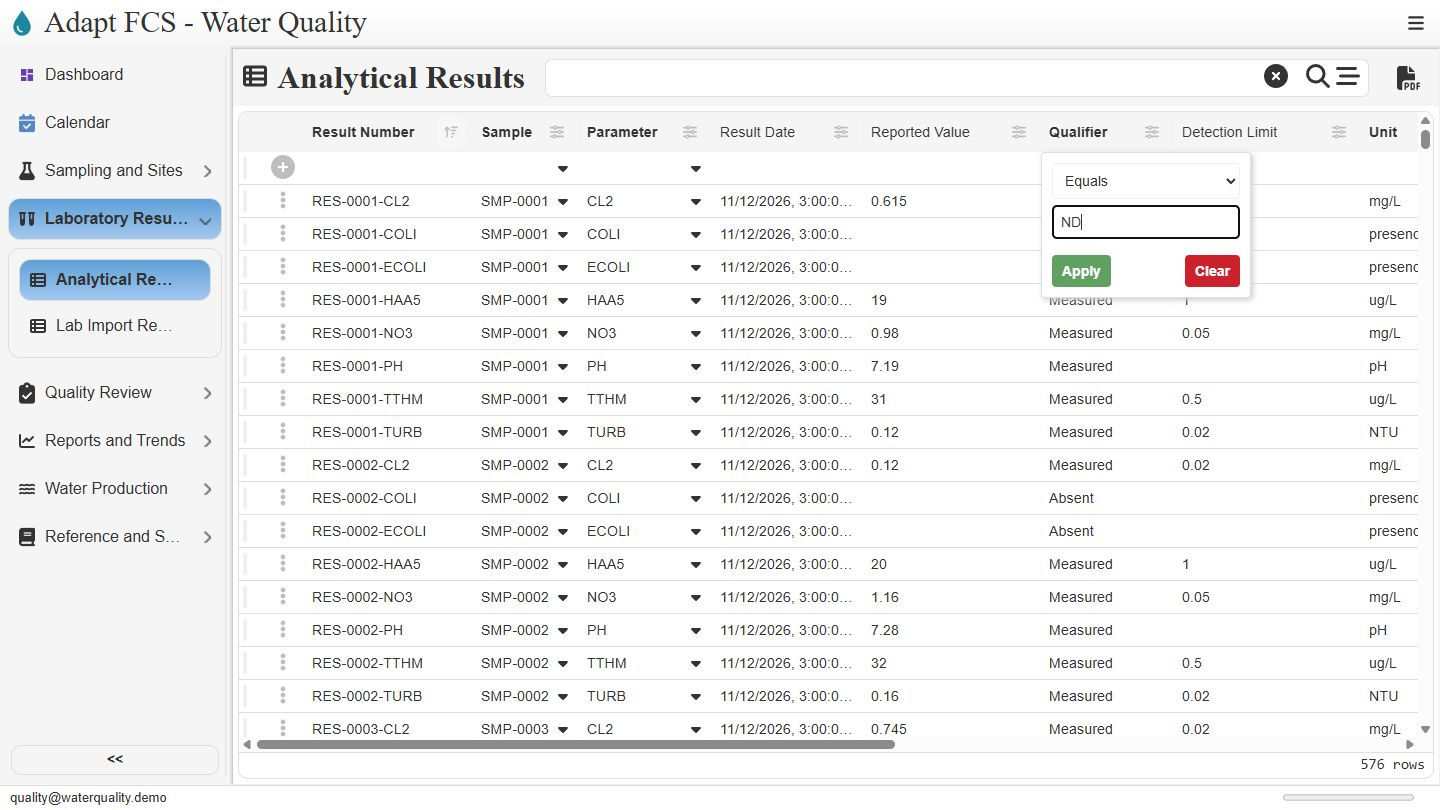
Link to chapterBack in the register, open the Qualifier column options and choose Set filter. Select Equals and enter N D. Applying this filter narrows the visible results to that recorded qualifier. Filters change the view, not the underlying result values or review decisions.
Preserve the meaning of a nondetect
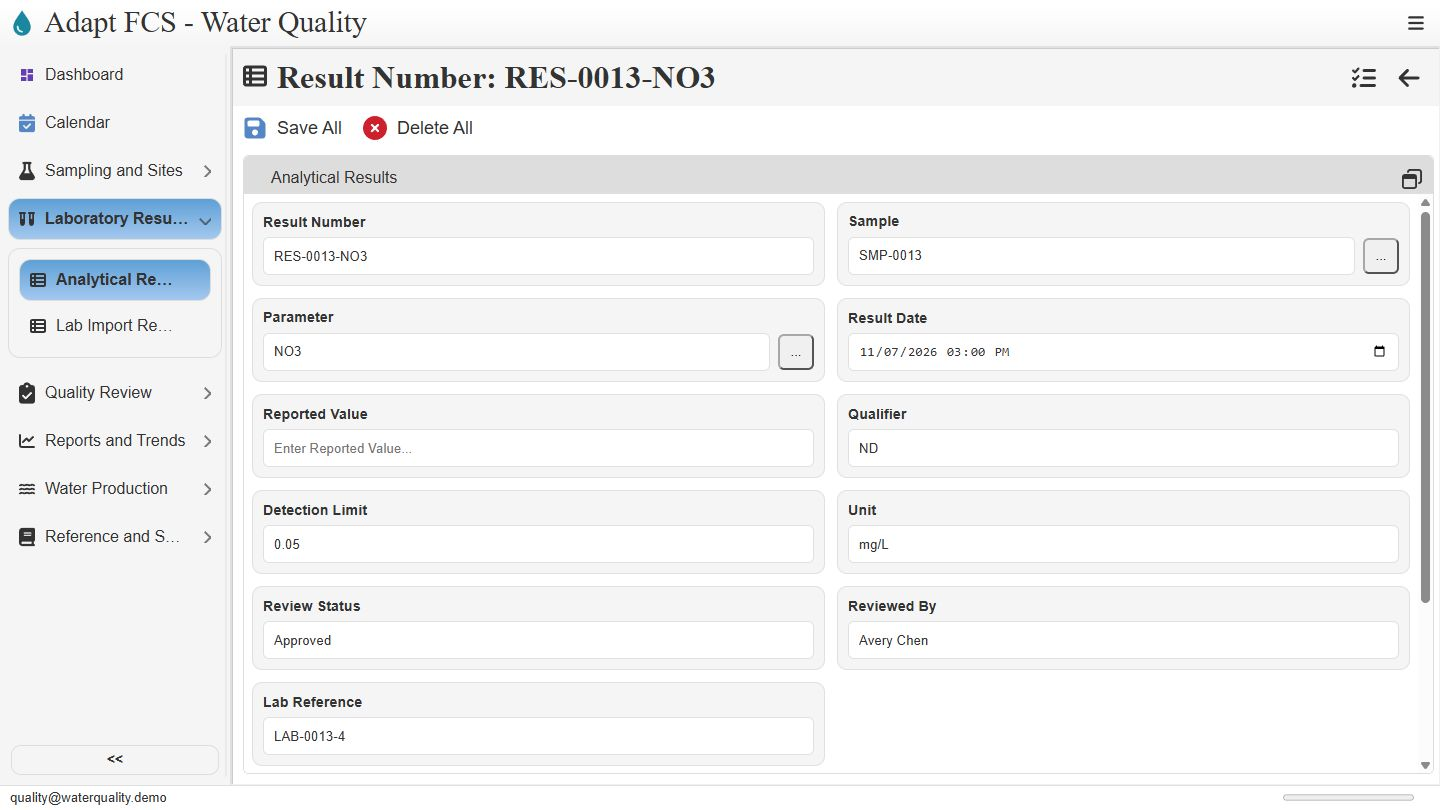
Link to chapterOpen a nondetect example. Result zero zero one three, nitrate, has a blank reported numeric value, the N D qualifier, a detection limit of zero point zero five, and the unit milligrams per liter. The record does not silently turn the nondetect into zero. Any calculation using these results still needs an approved treatment rule.
Trace review work from the result
Link to chapterReturn to the measured chlorine example and its standard layout. The Review and Follow Up pane shows the related low residual event. This relationship connects the analytical record to the investigation workflow. Our next walkthrough follows that event and its repeat collection work. All thresholds and records shown here are illustrative.
Closing
Link to chapterInstrumental closing; no narration.
No matching chapters. Try another word or clear the search to read the full script.
About this demonstration
The video uses fictional data and illustrative operating targets. It does not determine regulatory compliance or demonstrate agency submissions, live laboratory/GIS/SCADA connections, offline synchronization, or automatic sampling work generation. Staff and contractor sign-in configurations are examples; organization sign-in requires customer-specific setup and verification.
Video access is public. The interactive application has its own sign-in and permission controls. Version 1 · November 2026.